
LoloBuyFindslist

Join LoloBuy

LoloBuy
Spreadsheet

Find Weidian products, check real warehouse photos, and open the listing on LoloBuy.
Search by photo
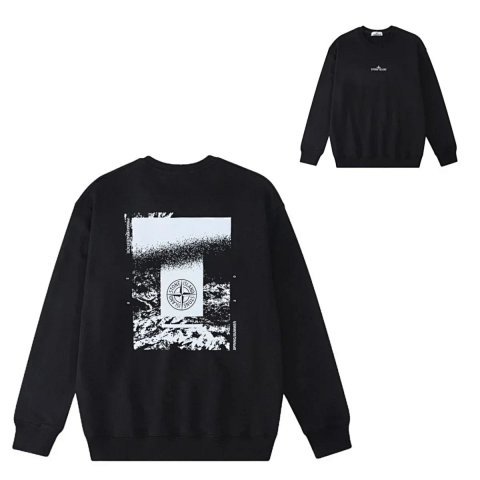
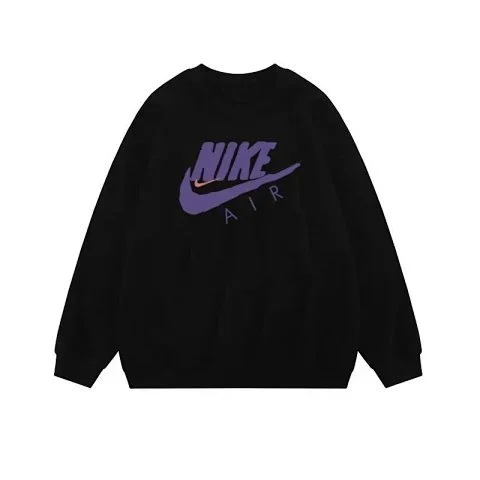
Seller listing photo of a black crewneck
Seller photo
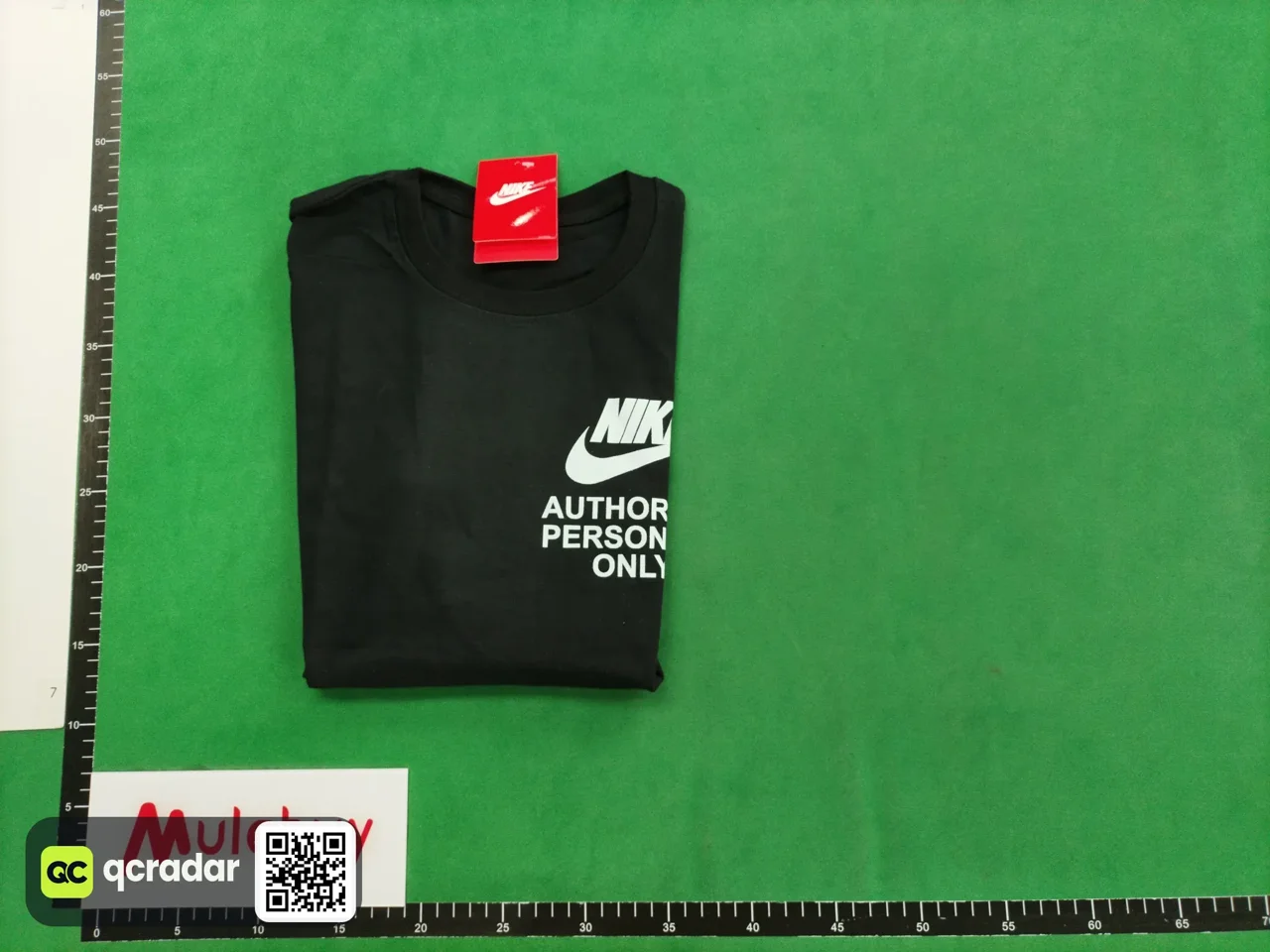
Saved warehouse QC photo for Weidian item 7321418559
Warehouse QC photo

Check it at the warehouse

A saved QC photo lets you compare an inspected item with the seller’s listing. Look up an item you already found, or browse listings with QC photos.

View this listing and its QC photos

Browse by category

Pick a category to find matching products, then compare seller photos and available warehouse QC.

All category guides

How to buy with LoloBuy

Full buying guide
  1. Find the listing and open it in LoloBuy

    Enter a product name, Weidian item ID or seller link in our spreadsheet and choose Apply filters. Open a result, compare its seller photos and choose Buy on LoloBuy. You can also paste a seller link into the official LoloBuy homepage.
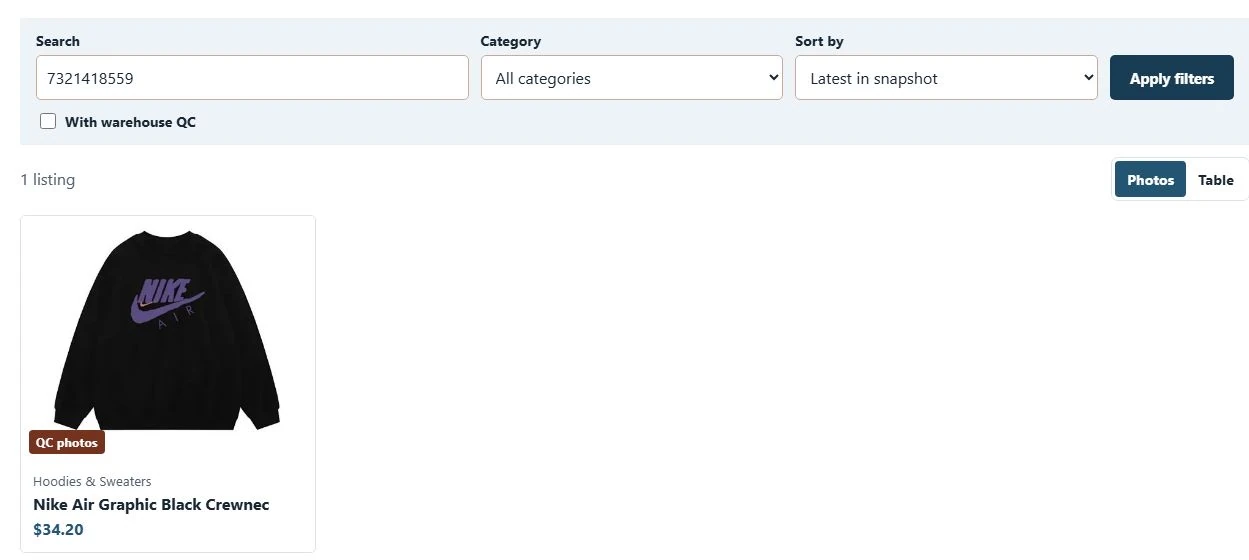
    Our spreadsheet after searching for Weidian item 7321418559. Open the matching card to reach the purchase link.
    Our spreadsheet after searching for Weidian item 7321418559. Open the matching card to reach the purchase link.
  2. Confirm your option before paying

    On the LoloBuy product page, check the loaded seller item, size, colour and quantity. Compare the current item price and any domestic freight. If the page shows a zero price, an empty option list or a mismatched item, try the original seller link before continuing.
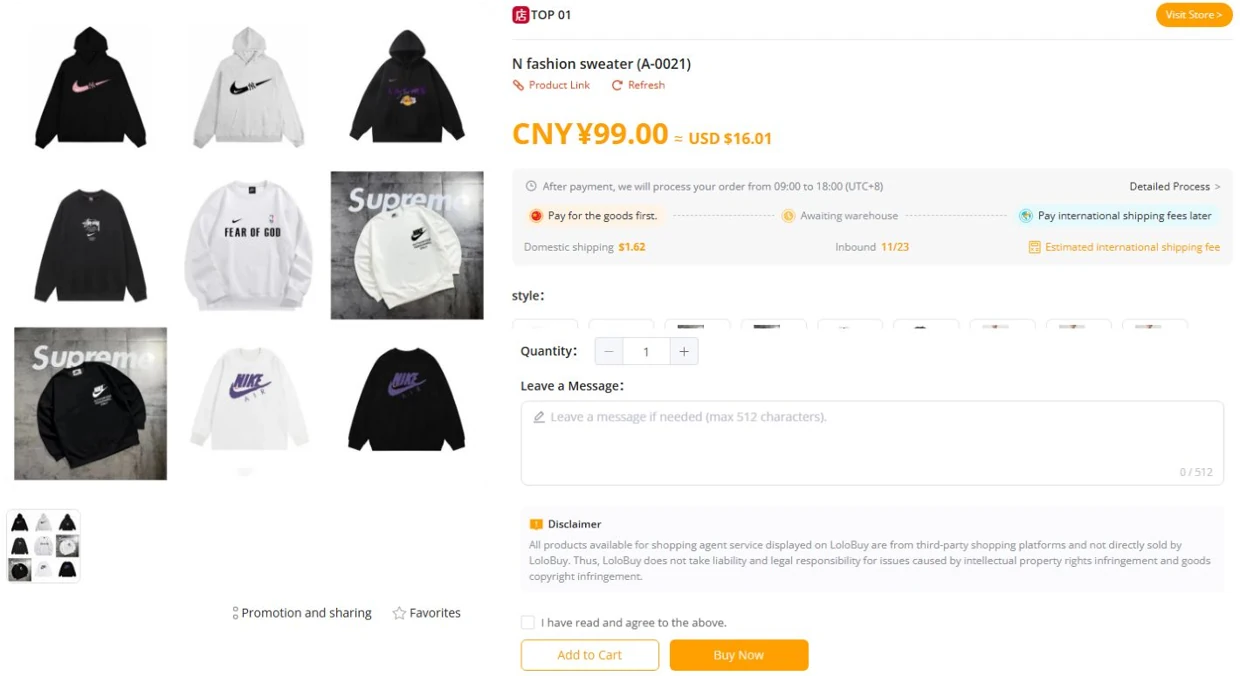
    LoloBuy product page with the selected item, available options and price.
    LoloBuy product page with the selected item, available options and price. Official page
  3. Pay for the order and check warehouse intake

    The LoloBuy product screen separates the item payment from international freight. Review the order total, including the seller’s domestic shipping charge, before paying. After payment, follow the order in your account until the seller ships and the warehouse receives it. Keep the order number so support can distinguish a seller delay from warehouse processing.
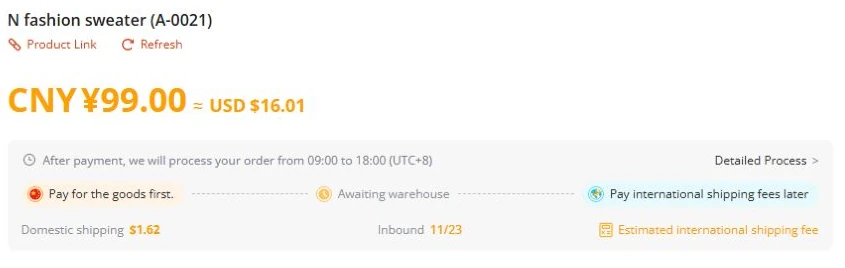
    LoloBuy product screen showing item payment, warehouse intake and international freight as separate stages.
    LoloBuy product screen showing item payment, warehouse intake and international freight as separate stages. Official page
  4. Inspect your warehouse QC photos

    Once the item arrives, open My LoloBuy → My Warehouse to check your inspection photos. Compare the variant, size label, colour and visible condition against your order. Use the order’s after-sales options for any discrepancy before submitting your parcel.
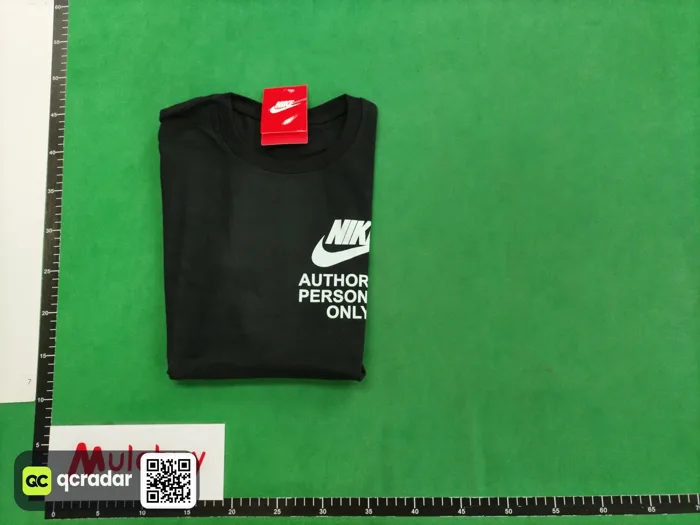
    Saved warehouse QC example for Weidian item 7321418559. Your own photos appear in your LoloBuy account.
    Saved warehouse QC example for Weidian item 7321418559. Your own photos appear in your LoloBuy account. Official page
  5. Resolve QC issues before shipping

    If the warehouse photos show a wrong variant, missing piece or damage, save the relevant photo and order number. Ask LoloBuy support or use the available after-sales option for that order. Check the deadline, eligibility and any fee before requesting a return or exchange. If a detail is unclear, specify the exact angle or measurement you need.

    LoloBuy’s public Help Center. Sign in and select the affected order to ask about returns or refunds.
    LoloBuy’s public Help Center. Sign in and select the affected order to ask about returns or refunds. Official page
  6. Estimate your international freight

    Open Freight estimate on LoloBuy. Choose the destination and enter weight in grams. Add packed dimensions in centimetres and the product category when available, then select Query. Compare available routes, including weight rules and product restrictions. Use the warehouse’s final packed figures to check the payable amount.

    LoloBuy Shipping Fee Estimation form with destination, weight and parcel dimensions.
    LoloBuy Shipping Fee Estimation form with destination, weight and parcel dimensions. Official page
  7. Combine eligible items and submit a parcel

    In My Warehouse, select the inspected items you want to ship together and choose Submit for Delivery. Check storage deadlines, the recipient’s address, parcel contents and packing options. Review the route, terms and estimated freight deposit, then check the final charge after packing.
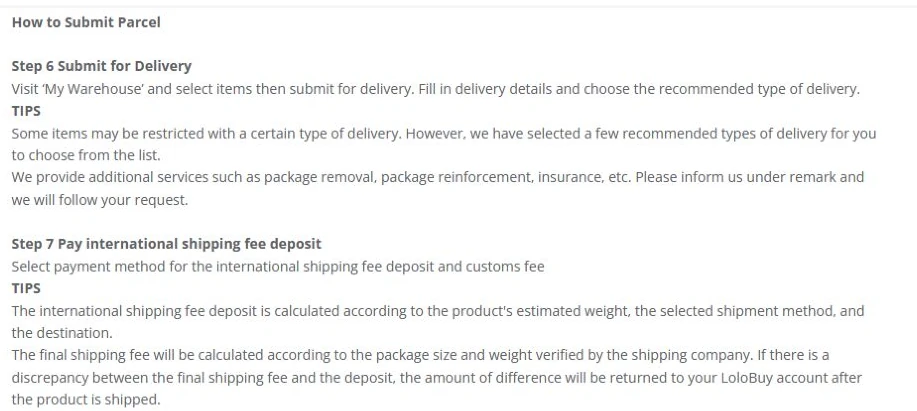
    LoloBuy’s public tutorial covers warehouse item selection, parcel submission and the estimated freight deposit.
    LoloBuy’s public tutorial covers warehouse item selection, parcel submission and the estimated freight deposit. Official page
  8. Track your parcel

    After dispatch, open My LoloBuy → Parcels for the carrier and tracking number. If delivery is delayed, compare the parcel status in LoloBuy with the carrier’s updates.
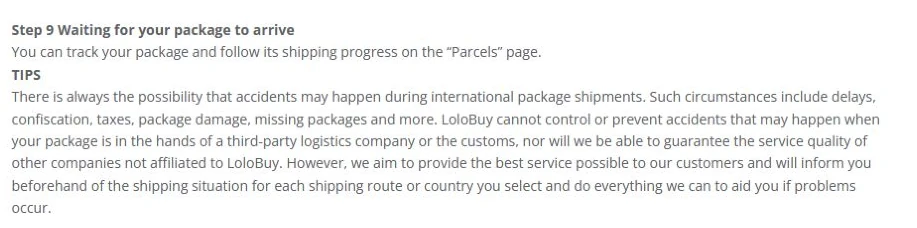
    LoloBuy’s public tutorial shows where to track a parcel in your account.
    LoloBuy’s public tutorial shows where to track a parcel in your account. Official page
  9. Inspect your delivery and confirm receipt

    Check the contents and condition when the parcel arrives. If everything matches your order, confirm receipt in My LoloBuy → Parcels. For missing or damaged goods, keep the packaging, shipping label and photos, then check your route’s claim procedure and deadline.

    LoloBuy’s public tutorial shows where to confirm receipt or request after-sales help.
    LoloBuy’s public tutorial shows where to confirm receipt or request after-sales help. Official page

LoloBuy FAQ

Answers on finding Weidian products, ordering with the agent, checking QC, estimating shipping and tracking a parcel.

Find products

What is the LoloBuy spreadsheet?

It is a FindSpreadsheet directory of Weidian listings with seller photos, reference prices and purchase links that open on LoloBuy.

Browse listings

Can I search with a product link or photo?

Paste a Weidian link or an item ID into the directory. To search visually, upload a cropped reference photo. The preview compares it against the saved catalog image index in your browser.

Try image search

Where do the products and prices come from?

The preview uses a saved FindSpreadsheet catalog. USD amounts are currency estimates for the item. Verify its current price, availability and options before ordering.

See the directory

Why does the product page show zero or no options?

The agent may not have loaded the seller listing or its variants. Compare the Weidian ID, open the original listing and try pasting its URL on LoloBuy. If the current option and price cannot be confirmed, contact LoloBuy support before paying.

Open LoloBuy

Do the spreadsheet prices include shipping?

The displayed currency conversion estimates the item price from the saved listing. The live agent checkout may add domestic freight or payment fees. International parcel shipping is quoted separately using the packed parcel and route.

Estimate shipping

Can I save a find or use another shopping agent?

Use Save find on the product page to keep a shortlist on this device. The agent menu on the listing or spreadsheet lets you see whether another shopping agent supports that seller link.

Open saved finds

Order and check QC

How do I order from the spreadsheet?

Open a product and choose Buy on LoloBuy. Review the matching listing and choose the size, colour and quantity on the official site before placing an order.

Open a sample listing

What are QC photos?

QC photos are warehouse inspection images. Saved examples are matched by Weidian item ID. For your own item or variant, review the photos in your LoloBuy account.

See an example

What if a product has no saved QC photos?

Compare the seller gallery, or check the current listing on FindSpreadsheet. Once your own order arrives, use the warehouse inspection photos from that order.

Look up QC

Where do I see my own LoloBuy QC photos?

After warehouse intake, open the relevant order in your LoloBuy account and check its inspection photos and status. The QC lookup here shows saved examples by Weidian ID. A saved example can come from a different order or variant.

Open the QC finder

How many QC photos are included? Can I request more?

The official homepage says warehouse inspection photos are provided. The number, additional photo options and any charges depend on the current service shown for your order. Ask for specific evidence such as the size label or an insole measurement.

See the inspection checklist

What should I do if QC shows the wrong item or damage?

Keep the inspection images and order details. Check the after-sales or support options and deadline for the item before parcel submission. Describe the exact discrepancy and ask which remedies are available and whether fees apply.

Read the warehouse step

Do QC photos prove authenticity or that electronics work?

Photos document visible condition, size labels, packaging and other details shown. They cannot verify authenticity, internal components or ongoing function. Ask support about any extra functional checks you need.

Read the limits of photo QC

Ship a parcel

How much does LoloBuy shipping cost?

The route and the parcel’s destination, weight and dimensions affect the quote. Check the available routes and the current total on LoloBuy before paying.

Check LoloBuy

Can I consolidate several items?

When eligible items arrive at the warehouse, LoloBuy lets you select them for a combined parcel. Check the route restrictions and charges for your shipment.

Visit LoloBuy

How long does LoloBuy shipping take?

Allow time for seller delivery and warehouse processing, then check the estimate for your chosen international route. Follow the tracking information shown for the parcel.

Read the buying guide

How do I use the LoloBuy freight estimator?

Select the destination and enter packed weight in grams. Add centimetre dimensions and an eligible product category if available. Query available routes, then compare the final quote once the warehouse has weighed and measured your parcel.

Open the freight estimator

What is volumetric weight?

Some shipping routes bill by the space a parcel occupies when that exceeds its scale weight. The conversion rule and minimum charge depend on the route. Compare current route details using the packed dimensions.

Check available routes

How long can I keep items in the warehouse?

Check the storage deadline displayed for each item in your LoloBuy account. Confirm when storage starts and any extension fee before the deadline, especially when consolidating orders that arrived on different dates.

Open LoloBuy

What should I check if tracking has not updated?

Check whether the order is still moving to the warehouse or an international parcel already has a tracking number. For a submitted parcel, compare the agent’s parcel status and the carrier status. If it exceeds the estimate, contact support with the parcel ID.

Read the parcel guide